
Compute has become one of the defining resources of the AI era. For technology leaders, from CTOs to infrastructure heads to machine learning engineers, deciding how to access and manage compute is quickly becoming a strategic decision. The right approach can influence everything from cost structure and experimentation speed to operational flexibility and long term scalability.
If you have trained a model locally and are preparing to scale, the next step usually involves evaluating GPU options. A quick look at market rates shows that renting an NVIDIA H100 typically ranges around $3 to $4 per GPU hour, while purchasing the hardware outright can cost roughly $25,000. The newer 141 GB NVIDIA H200 is generally priced between $30,000 and $40,000, with rental rates commonly ranging from $3.72 to $10.60 per hour.
When evaluating numbers at this level, the key consideration is not just the hourly price. It is understanding which compute sourcing model best fits your workload profile. Should you invest in dedicated hardware and operate it continuously? Should you rent GPUs from cloud providers by the hour? Or should you use pay per use compute for specific, on demand jobs?
This guide breaks down these options in practical terms, helping you evaluate trade offs and choose the model that aligns with your technical and financial goals.
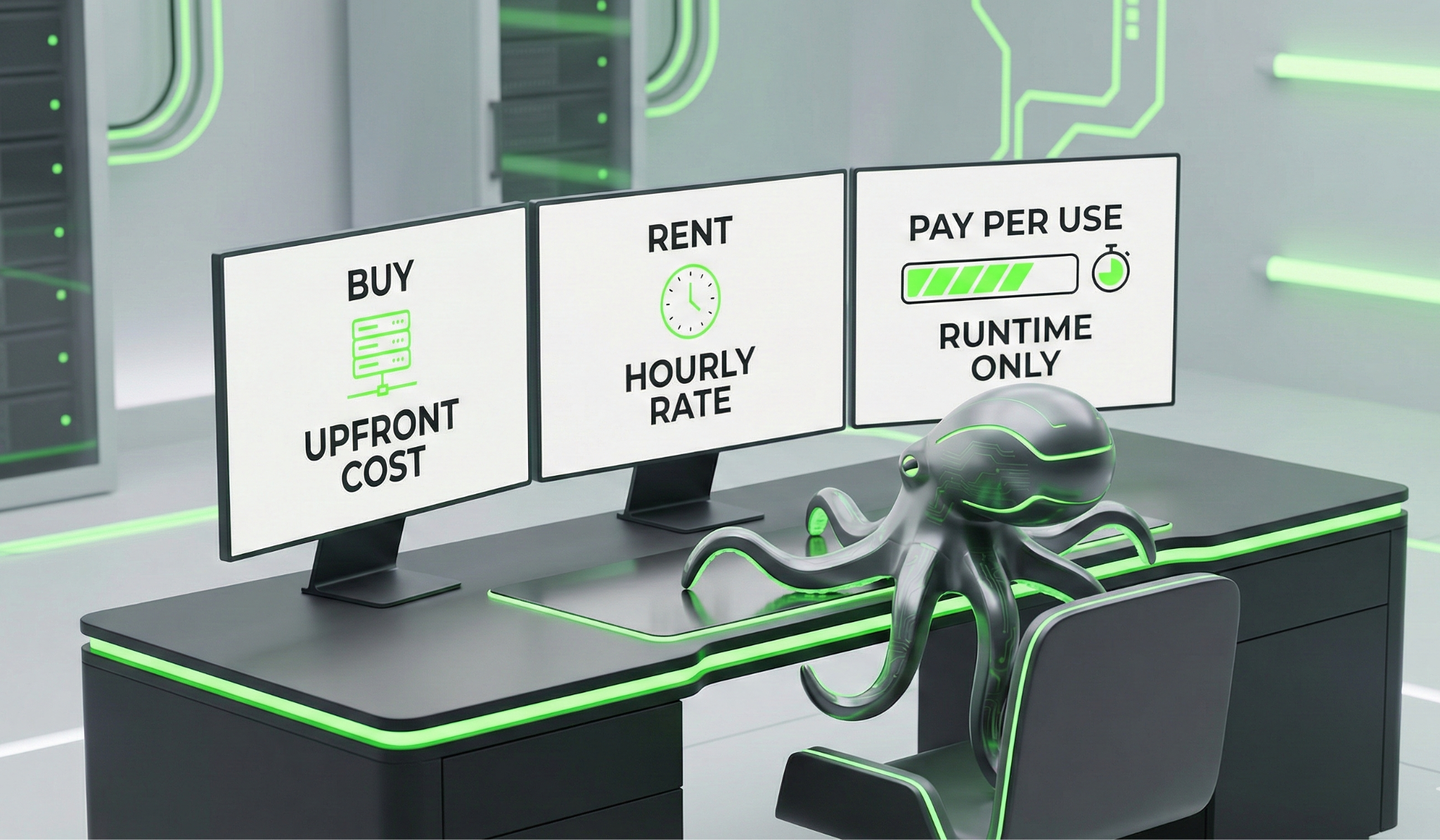
Your First AI Compute Decision: Rent, Buy, or Pay Per Use?
If you are comparing H100 price per hour rates across providers, you are probably trying to answer something bigger than what is the cheapest GPU. The real question is which model, buying, renting, or pay per use, actually aligns with how your workloads behave.
GPU compute pricing only makes sense when you look at utilization. A GPU that sits idle half the month is expensive, no matter how attractive the headline rate looks.
Option 1: Buying GPUs (CapEx Model)
Buying makes sense when usage is high, predictable, and continuous. If you are running training cycles or inference pipelines around the clock, ownership can eventually outperform rental models.
Estimated Purchase Costs
But hardware cost is only the beginning. You also absorb:
- Power (H100 draws ~700W under load)
- Cooling infrastructure
- Rack + networking
- Maintenance + replacement cycles
- Downtime risk
Owning GPUs can be cost-effective when workloads are consistently high and predictable. If inference runs continuously and fine-tuning jobs recur steadily, hardware ownership can reduce the effective cost per hour over time.
Utilization is the key factor. For example, if an NVIDIA H100 costs $30,000 and comparable rentals average $4 per hour, ownership becomes more economical after roughly 7,500 productive hours, a little over a year of sustained usage. When usage is lower or variable, the economics shift accordingly.
Option 2: Renting GPUs (OpEx Model)
Renting converts capital expense into operating expense. You provision, run, and shut down.
Renting is flexible, but you’re still paying for allocated time, not productive time.
If:
- A training job crashes after 4 hours
- You spend time debugging
- Instances take time to spin up
- You over-provision GPUs “just in case”
You still pay. Cloud GPU pricing reduces upfront commitment, but it doesn’t eliminate utilization inefficiency.
Option 3: Pay Per Use Compute Jobs (Execution-Based Model)
The third model shifts billing from reserved machine hours to actual execution runtime. Instead of renting a full GPU instance for a block of time, you submit a containerized job and are charged only for the compute it consumes while running. This structural difference is what separates pay as you go GPU compute from traditional cloud rental models.
Financially, this means cost aligns directly with runtime. You are not billed for idle gaps between experiments or for infrastructure that remains allocated while you iterate and evaluate results. Each training run, inference benchmark, or embedding pipeline reflects its true compute usage.
This approach is particularly useful for workloads that operate in cycles, such as large embedding jobs, short fine tuning experiments, or inference benchmarking under different configurations. Because these tasks typically run in bursts rather than continuously, execution based billing ties spending more closely to productive compute time.

Ocean Network: Hub of geographically distributed compute
Ocean Network is built as a peer-to-peer compute network where independent operators contribute GPU and CPU infrastructure and make it available on demand.
Instead of renting and managing full cloud instances, developers can submit containerized AI jobs directly to the network, select a node based on transparent pricing and available resources, and pay strictly for the time their workload is actually running. In practice, this creates a workflow where code written locally can be executed on globally distributed compute in just a few steps.
Under the hood, the network functions as a marketplace for compute jobs. Nodes publish their available hardware specifications and pricing, while jobs submitted by developers are matched to compatible nodes through the orchestration layer. This allows workloads to run across heterogeneous hardware while maintaining full visibility into where jobs execute, what resources they use, and how long they run.
The Ocean Network relies on two core components: Ocean Nodes and the Ocean Orchestrator.
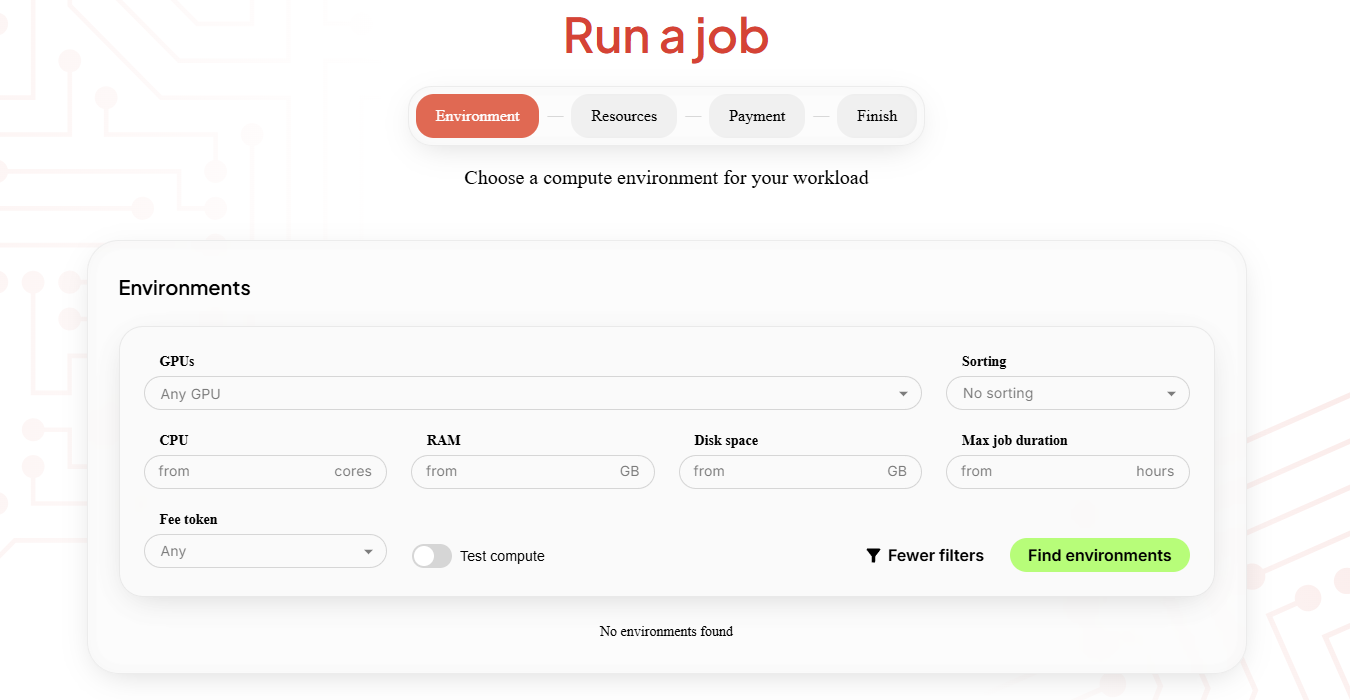
Ocean Nodes form the execution layer of the network. Each node exposes its available GPU, CPU, memory, storage, and maximum job duration, allowing developers to choose the environment that best fits their workload through the Ocean Network Dashboard
Nodes also maintain reputation and reliability scores based on successful job execution. Over time, this helps the network route workloads toward stable and performant infrastructure. Jobs run inside isolated containers, execute within a defined time window, and return outputs once complete. Execution logs and runtime metadata stream back in real time, allowing developers to monitor progress during the run.
Because billing is tied to execution rather than reserved infrastructure, costs align directly with real compute consumption instead of idle allocation.
On the developer side, the Ocean Orchestrator integrates directly into modern IDEs such as VS Code, Cursor, Windsurf, and Antigravity. From inside your editor, you can package your code into a container, select an Ocean Node based on available GPUs and pricing, define runtime parameters, and submit the job to the network without switching tools.
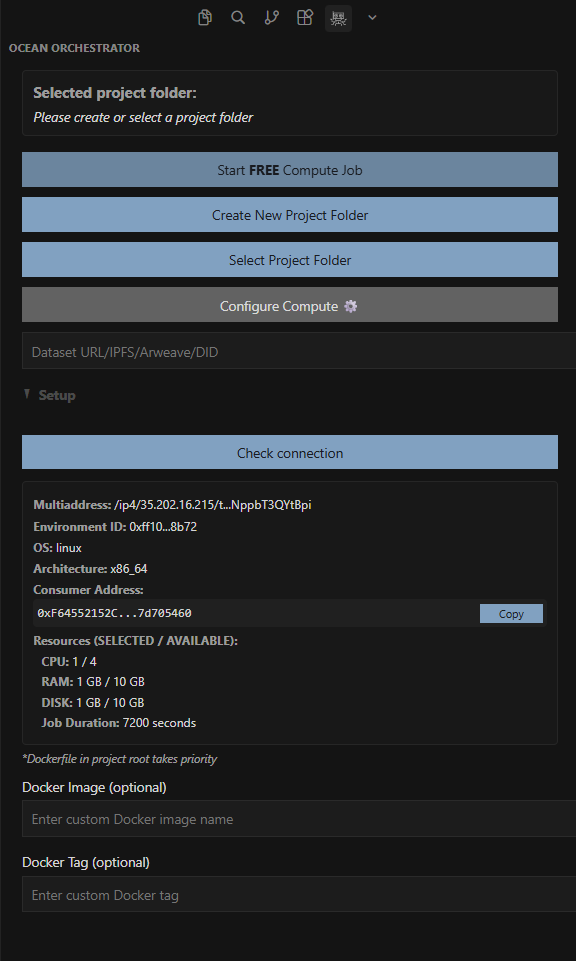
Inside, the Orchestrator handles the coordination layer: it prepares the containerized workload, schedules the job across the network, submits it to a compatible node, tracks execution status, and retrieves the output once the run completes. This “code-to-node” workflow allows developers to move directly from writing code to executing it on remote GPUs without provisioning servers or managing infrastructure.
You don’t need to provision virtual machines or maintain long-running instances. You pay through your crypto wallet or do card based transactions, and can see where the job runs, what resources it uses, and how long it executes.
Cost Comparison Snapshot
If execution-based billing aligns with how your workloads behave, the next step is running a real job in a pay-per-use environment and measuring actual runtime. Ocean Network enables this through a one-click workflow from your editor.
Across all three models, the decisive variable is utilization rate. A GPU operating at 80 to 90 percent productive capacity behaves very differently from one running at 20 or 30 percent. High utilization can justify ownership. Medium utilization often favors rental. Highly variable or burst workloads tend to benefit from execution-based pricing. Without understanding your real utilization pattern, comparing H200 price per hour or RTX 4090 compute pricing numbers in isolation can be misleading.
The real driver isn’t the headline H200 price per hour or RTX 4090 compute pricing. It’s how consistently your GPU is producing output. The most expensive GPU is the one that’s allocated but not advancing your model.
Get Your Free Compute Credits
Install the Ocean Orchestrator extension from the VS Code Marketplace or Open VSX, then initialize a project to generate the standardized compute scaffold.
Next, browse available nodes on the Ocean Network Dashboard, select a GPU environment that fits your workload, and optionally use the Test Compute feature to verify the node before running a job.
Once ready, submit the compute job from your editor and watch logs stream in real time as it runs remotely. When the job completes, results are automatically synced back to your local workspace.
Follow us on X at @ONcompute to stay updated on upcoming features and announcements.