Compute

Run the job Pay for the minutes it runs

GPU jobs from your agent, your editor or the dashboard

H200 from $2.16/hr
Escrow, pay per use
Results saved locally
Three ways in

Ask your agent, use your editor, or bring a GPU

01 · For AI agentsNew

Ocean MCP

Give your AI agent a GPU, paste one link, then ask in plain language

https://mcp.oncompute.ai/mcp
Works with
ClaudeCursorChatGPTGemini
  1. ConnectOne link, nothing to install
  2. AskThe way you already talk to it
  3. DoneResults back in your local folder
02 · For your editor

Ocean Orchestrator

Run GPU jobs from VS Code, Cursor, Windsurf or Antigravity, with live logs in your editor

Install→Pick a GPU→Run
03 · For GPU owners

Ocean Nodes

Set your idle GPU up on the network and get paid for the hours someone uses them.

Install with Docker→Set your price→Earn
How it works

How it works

  1. 01
    Pick a GPU and resourcesNo forced bundles
  2. 02
    Fund the escrowReleased only after your job completes
  3. 03
    Start from your agent or editorOcean MCP or Ocean Orchestrator
  4. 04
    Watch the logsLive, without leaving your tools
  5. 05
    Get your outputsResults and logs saved to your local folder

Dashboard → Editor → Outputs

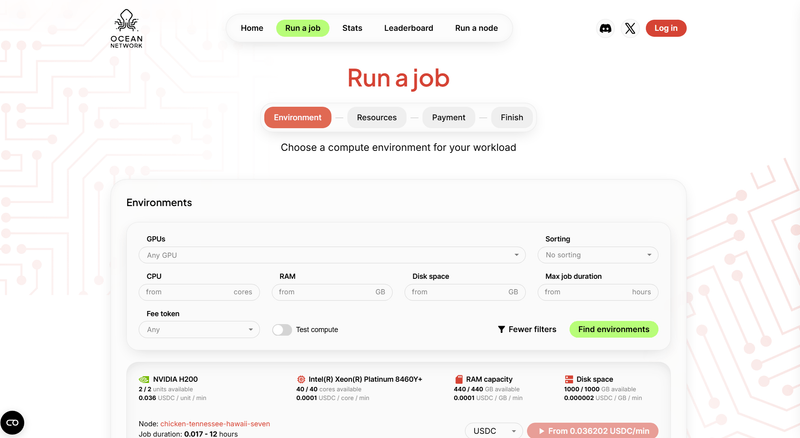
Ocean Network dashboard: the Run a job page with GPU filters
01 · Dashboard

Pick your GPU

Filter live nodes by spec and region

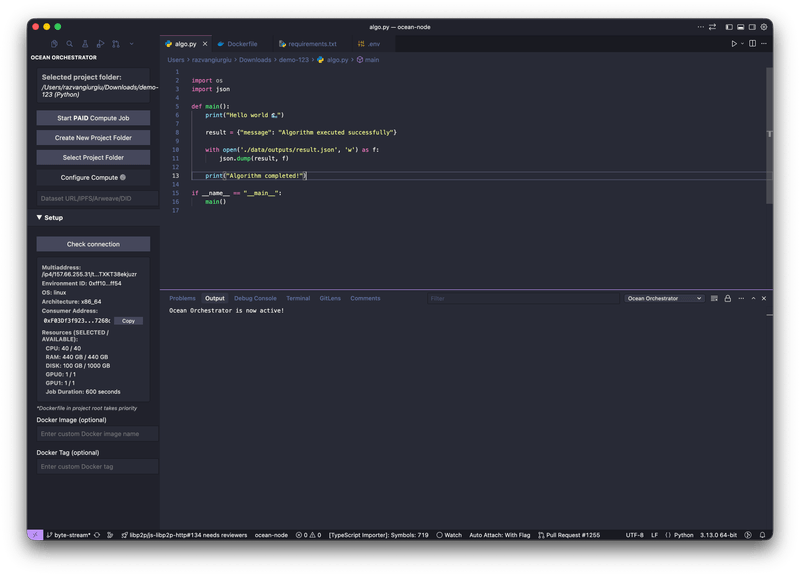
Ocean Orchestrator in the code editor with a job running
02 · Editor

Submit from your IDE

Live logs without leaving your editor

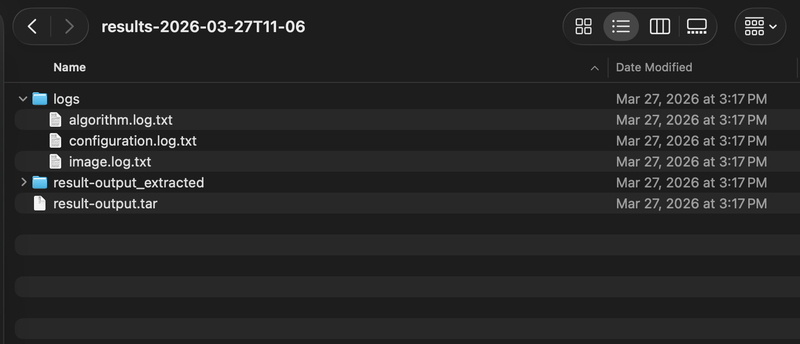
Results folder on the local computer with the job outputs and logs
03 · Outputs

Results land locally

Outputs, logs and metrics, saved automatically

$2.16/hrH200, pay per use
1 linkto connect your agent
4 editorsVS Code, Cursor, Windsurf, Antigravity
0 idle costescrow, paid on completion

Pick a GPU. Run your first job.

You see the cost before anything starts.